
The short answer
A deal in TurboOffice holds its documents, its signatures and its dates, and shows what it still needs. You do not type most of it in. TurboOffice reads the paper you upload, prepares the paper a deal owes, and records what was signed when everyone has signed. Anything that would change a deal waits for your approval.
Drop in an offer
- Upload the PDF, or drop it on your dashboard. Scanned pages are read too.
- TurboOffice works out what it is. An offer, a counter or an amendment, and whether it is signed.
- It reads the terms. The price, the earnest money, the financing and the dates.
- A card says what it found. Recording a counter or binding a contract waits for you to approve.
When the contract is bound, its deadlines are on your dashboard.
Start a listing
Say it in the bar at the top of your dashboard, or in Claude or ChatGPT once it is connected:
Start a listing at 905 Ridge Rd for the Parkers.
- The listing agreement is prepared for you to review and send for signatures.
- The seller's disclosures start with a short questionnaire about the property, which picks your state's disclosure forms. Your sellers are emailed an invitation to fill them in, and you review and send them for signature.
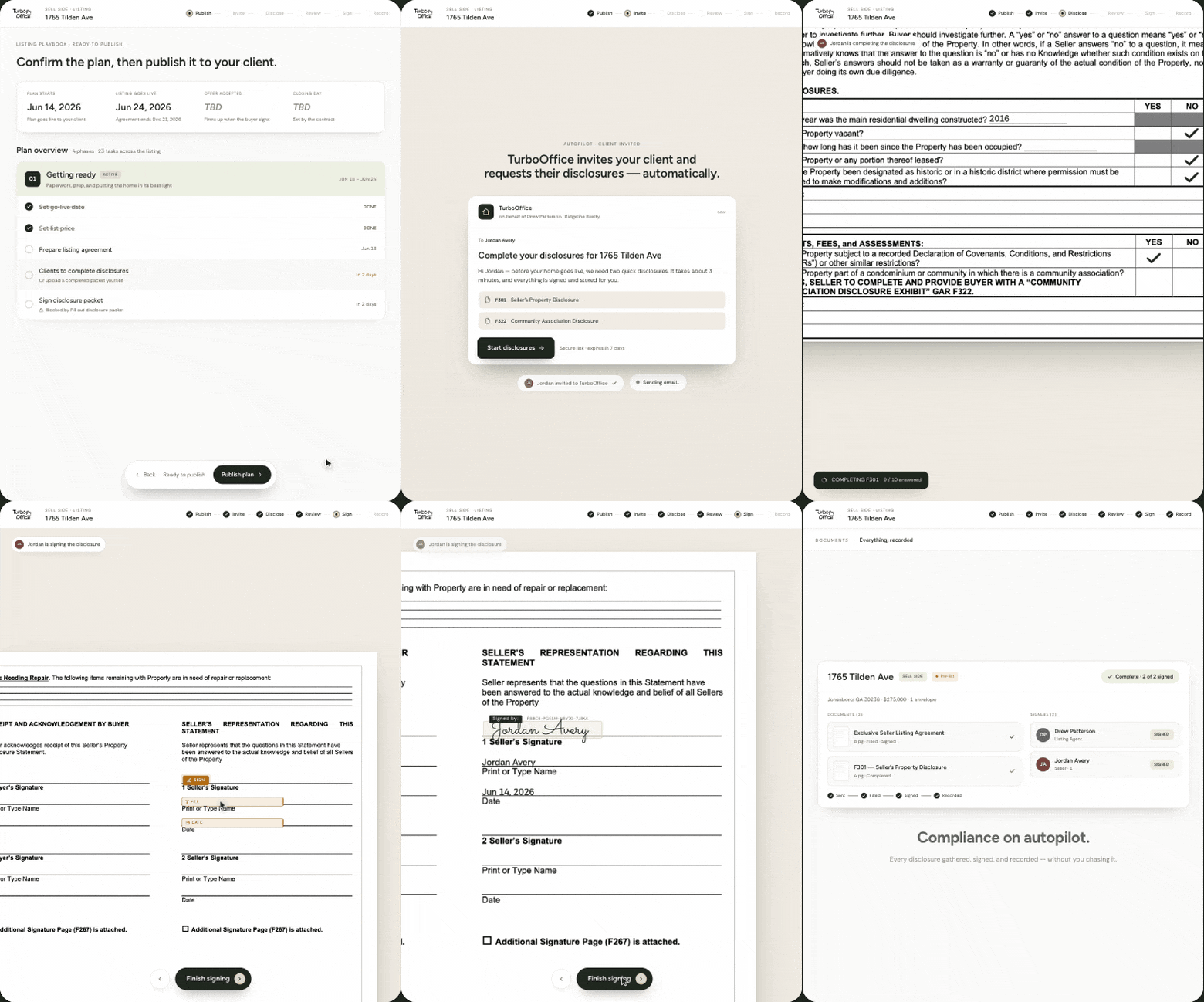
Nothing goes for signatures until you send it. Already have a signed agreement? Upload it and the deal is set up from it.
Showings and buyer feedback
Showings from ShowingTime appear on the listing once your Gmail is connected. TurboOffice lists the showings still waiting for feedback, and keeps each buyer's agent's feedback on the listing.
What a deal still needs
Each deal lists the documents it still needs, such as the agreement, the disclosures and the contract, and marks one met when the signed paper completes or a verified upload arrives.
When everyone has signed
The PDF is sealed with a digital certificate and stamped with the binding date. Everyone on it is emailed the signed copy, the contract is recorded as bound, and the deal moves to under contract. Nobody has to do anything.
What stays with you
- Sending paper for signatures, and binding or ending a contract, always wait for your approval.
- You and your clients sign in TurboOffice. The assistant signs nothing.
- A deal started from uploaded paper emails nobody.
Questions
Do I have to type the terms of an offer in? No. Upload the PDF and TurboOffice reads them. You check what it read before anything is recorded.
Does it read scanned paper? Yes.
What does a new listing send to my sellers? An invitation to fill in the seller's disclosure. The listing agreement goes for signatures only when you send it.
Which states? Georgia, North Carolina and Florida today.
What does it cost? $39 per agent per month, with a 14-day free trial.